

Community Gardener Online Registration Instructions
Hello, Community Gardeners! Online registration is here! Please read the following instructions for how to properly submit your registration and what to expect from us. Read through the instructions below BEFORE clicking the link
1. Navigate to the registration link and click on it.
2. Select

Press

to advance to the next page. Press

to go back to the previous page to make changes to any previous answers.
3. Enter your name and primary email address. This is how the Garden Rental Team will send your invoice after your registration is submitted.
Note: For faster registration, enter your Gardener ID number, which can be found on past garden rental receipts and invoices. This step is optional and your registration can still be completed even if you can’t remember your gardener ID from previous years.
4. You will be given three options: renewal, requests, and microfarm inquiries.
Select
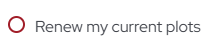
Note: Please ignore the second and third options unless you plan to make changes to your rental(s) or want to complete the separate microfarm application process.
- If your renewal is the SAME as last year, continue to complete steps 5 through 9
- If you request to CHANGE your renewal, complete steps 5 and 6. On the following page, indicate your most preferred plot changes in descending order of preference if applicable. Describe your desired changes in the box provided. Proceed to the next page for steps 7 – 9.
- Note: Making changes to your rental will add up to TWO WEEKS to your registration process.
5. You will be asked if you have any plots at Our Common Home Community Garden. This is because registration at this community garden requires an extra step.
- If you DO rent one or more plots at OCH Community Garden, select

- If you DO NOT rent one or more plots at OCH Community Garden, select

6. You will also be given the choice to update personal information (optional). We recommend you do this so we have the most current information in our new system.
● If your name(s), phone number(s), email address(es), or mailing address has changed in the past year, select
and advance to the next page. On the next page, specify which information you need to change, and update your information on the following page.
● If there are no changes from last year, select
and advance to the next page.
7. Specify or describe anything you need to notify us of (optional). Proceed to the next page.
8. READ THE WAIVERS CAREFULLY. If you have not already done so, please also read our UPDATED RULES (Rules_and_Guidelines) before agreeing to the waivers.
Note: The first is the UW Extension waiver agreeing to the updated garden rules, responsibilities, and refund policy. The second is a Milwaukee County waiver releasing the County of liability for growing on County-owned land. For those with any plots at Our Common Home Community Garden, the liability waiver for Our Lady of Lourdes Parish will be third.
9. Sign the waivers.
10. Complete OR skip the anonymous survey. It is optional, but please consider completing it this year. This is where we will take your feedback on this digital renewal process. Be honest; we want to make this as smooth and easy as possible.
11. Submit your form – you will be met with a ‘Thank you’ page. If you do not see this page, your renewal was not submitted.
When you submit your renewal, you will receive a confirmation message at the primary email address that you specified at the beginning of the form. It will explain that you will receive your invoice and payment instructions at that email within one week following submission of the form. It will also contain information about other updates at the Garden Rental Program.
Back at the office, we will manually review each renewal and send your renewal invoice to your primary email address. There will be no need to sign and return it. Simply send the payment via check or money order in the mail for the amount on the invoice. You may also come in to pay with cash during the open office hours listed on our website. You will be emailed a receipt for the transaction immediately after payment is received. Please submit your renewal by February 13th, 2026 for fastest registration and to be guaranteed the plots you had last year.